
Views: 218 Author: Maituohong Packaging Publish Time: 2026-08-21 Origin: Site


Content Menu
● What Does Collate Mean in Printing?
● Collated vs. Uncollated Printing
● When Should You Choose Collate Printing?
● Automatic Collating vs. Manual Collating
● Why Collation Matters in Packaging Production
>> It Protects Information Accuracy
>> It Improves Unboxing Consistency
>> It Reduces Rework and Fulfillment Delays
● Collation, Gathering, and Binding: What Is the Difference?
● How to Set Up a Collated Print Job
● Expert Checklist for Booklets and Packaging Inserts
● Collate Printing Mistakes to Avoid
● Choosing a Packaging Partner for Collated Inserts
>> What does collate mean when printing?
>> Is collated printing the same as double-sided printing?
>> When should I turn collate on?
>> When is uncollated printing useful?
>> Can packaging inserts be collated by hand?
>> Why does page order matter for booklet binding?
>> What information should I provide for a collated packaging project?
When a multi-page print job must arrive in the correct reading order, collate printing is the finishing step that keeps every copy complete, sequential, and ready for use. For brands producing product manuals, presentation kits, catalogues, instruction leaflets, or rigid gift box inserts, good collation reduces manual handling, prevents missing pages, and supports a more polished unboxing experience.
At Maituohong Packaging, we have spent more than 18 years developing custom paper packaging and high-end rigid boxes. From our production perspective, collation is not simply a printer setting. It is a controlled process that connects printed sheets, folding, binding, die-cutting, inserts, and final packing into one usable product.
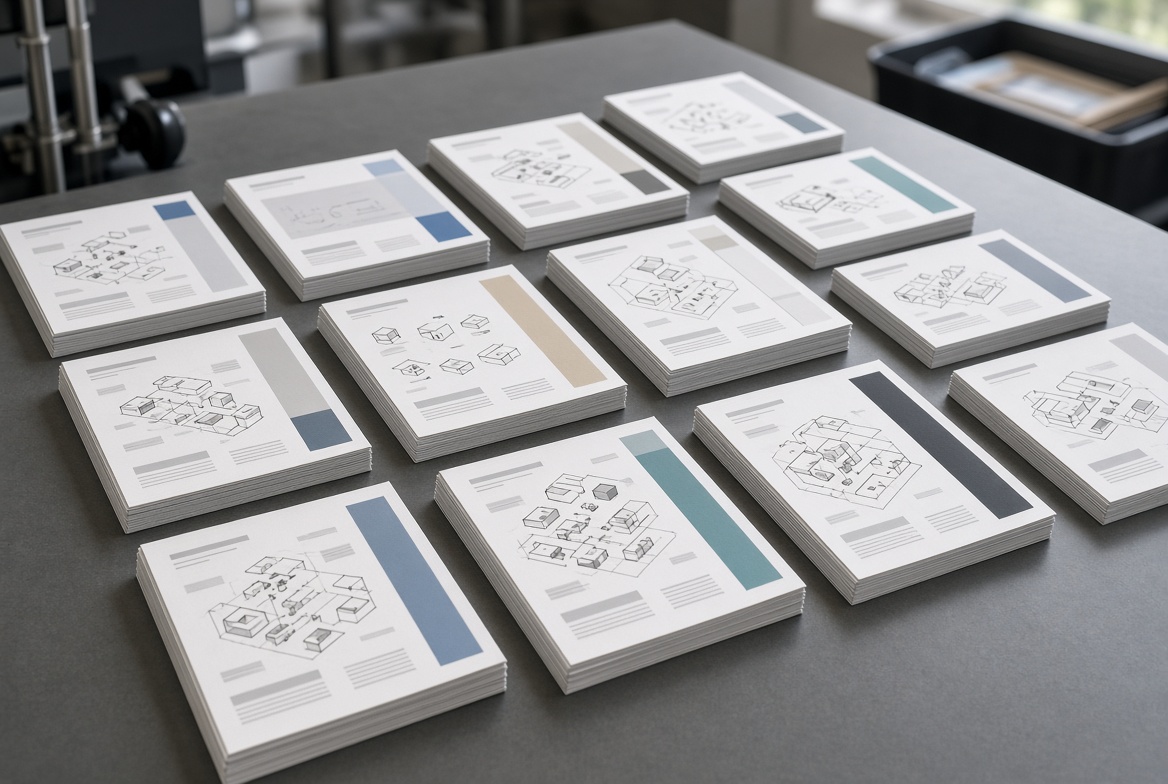
In printing, collate means arranging pages into complete sets in the intended sequence.
For example, imagine a six-page product guide printed in 200 copies.
With collate printing enabled, the output is arranged like this:
- Set 1: Pages 1, 2, 3, 4, 5, 6
- Set 2: Pages 1, 2, 3, 4, 5, 6
- Set 3: Pages 1, 2, 3, 4, 5, 6
Without collation, the output may be arranged like this:
- 200 copies of Page 1
- 200 copies of Page 2
- 200 copies of Page 3
- And so on
The first arrangement is ready for binding, inserting, packing, or distribution. The second requires sorting before it can become a finished document.
Collated printing is particularly useful whenever one finished item contains multiple pages, sheets, components, or inserts.
The difference is simple, but it has major operational implications when a job involves hundreds or thousands of sets.
| Feature | Collated Printing | Uncollated Printing |
|---|---|---|
| Output sequence | Each copy is printed in page order | Each page is printed in bulk before the next page |
| Ready for use | Usually yes | No; manual or machine sorting is needed |
| Best for | Manuals, booklets, reports, catalogues, kits | Single sheets, bulk forms, labels, loose promotional pages |
| Risk of page mix-ups | Lower | Higher during manual assembly |
| Post-print workload | Reduced | Increased |
| Suitable for binding | Yes, often essential | Requires gathering first |
For a four-page document printed in three copies, a collated job looks like:
> 1–2–3–4 / 1–2–3–4 / 1–2–3–4
An uncollated job looks like:
> 1–1–1 / 2–2–2 / 3–3–3 / 4–4–4
Neither option is universally better. The correct choice depends on the finished product and the next production stage.
Choose collation when every recipient needs a complete, correctly ordered set. It is especially important where the order of information affects usability, safety, assembly, or brand presentation.
- Product instruction manuals: Assembly steps, safety information, warranty terms, and product diagrams must follow a logical sequence.
- Presentation folders: Proposal sheets, specification pages, quotation documents, and branded inserts need to be assembled in a consistent order.
- Retail catalogues: Product categories, prices, item codes, and order information must remain easy to navigate.
- Training materials: Learners need to receive complete lesson packs in the intended order.
- Event packs: Programs, schedules, name cards, vouchers, and inserts can be gathered as one complete set.
- Rigid box inserts: Multi-piece packaging often includes cards, care guides, certificates, tissue paper, trays, and leaflets that must be packed consistently.
- Cosmetics and luxury packaging: Instruction leaflets, brand story cards, QR-code cards, and promotional inserts should be placed in a planned sequence to create a premium opening experience.
For packaging buyers, collation becomes more valuable as the number of components increases. A luxury magnetic box with a booklet, thank-you card, tissue wrap, foam insert, and product certificate requires controlled assembly—not a last-minute manual process.
Both methods are used in commercial production. The right method depends on format, material, volume, complexity, and finishing requirements.
Automatic collation uses printer, copier, or finishing equipment to gather printed pages in sequence. It is usually the preferred method for standard documents with consistent sheet sizes and uncomplicated page structures.
Advantages include:
- Faster processing for repeatable multi-page jobs
- More consistent output across large quantities
- Less manual sorting
- Faster preparation for binding or packing
- Lower risk of basic sequence errors
Automatic systems work well for reports, instruction manuals, standard catalogues, stapled booklets, and sequential inserts.
Manual collation is the controlled hand assembly of sheets, cards, inserts, or printed components. It remains necessary when automated machinery cannot safely handle the job or when the product contains varied materials.
Manual collation may be the better option when a project includes:
- Different paper sizes
- Mixed board thicknesses
- Folded and unfolded pieces
- Die-cut cards or irregular shapes
- Foil-stamped inserts
- Delicate sheets with raised textures
- Variable-data cards
- Product samples or non-paper components
- Multiple packaging inserts in a rigid gift box
For example, a premium tea gift box may contain a folded brand story card, a product guide, a tasting note, a thank-you card, and a small certificate. Although every component is printed, the final set is not a simple stack of pages. It needs deliberate hand assembly and inspection.
Collation is often associated with office printers, but it plays a broader role in paper packaging manufacturing. In practice, it helps turn individual printed parts into a coherent customer-facing experience.
An insert with missing, duplicated, or incorrectly ordered pages can create real problems. A customer may receive incomplete usage instructions, incorrect product information, or a warranty card that was intended for another item.
For regulated or instruction-heavy products, sequence control is especially important. This includes electronics, cosmetics, supplements, tools, toys, and products with assembly requirements.
Premium packaging is experienced in stages. A customer opens the outer box, sees a message card, removes tissue paper, finds the product, and may then discover an instruction booklet or certificate.
When these elements are consistently collated and assembled, the brand experience feels intentional. When inserts are random, creased, missing, or upside down, even a well-made rigid box can feel less refined.
Manual sorting after a large print run takes time and introduces avoidable risk. Catching a sequence error after thousands of packaging sets have been assembled can cause expensive rework.
A production plan should define:
1. The approved order of printed pieces
2. The orientation of each component
3. The quantity required per finished package
4. The inspection point for sequence verification
5. The approved sample used for comparison
This approach helps production teams identify mistakes before final packing.
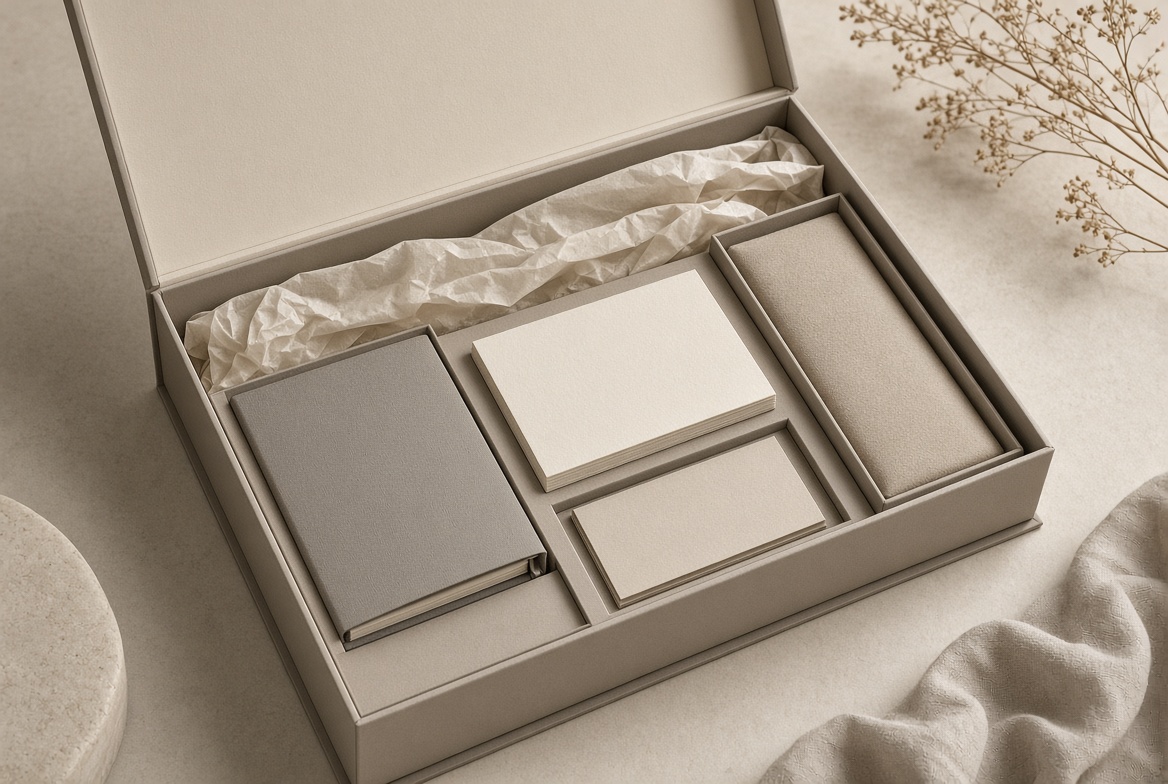
These terms are related but not identical.
| Term | Meaning | Typical Example |
|---|---|---|
| Collation | Putting pages or components in the correct sequence | Gathering pages 1–16 for one instruction manual |
| Gathering | Collecting signatures or printed sections together | Combining folded sections before perfect binding |
| Binding | Securing pages into a finished publication | Saddle stitching, perfect binding, sewing, or wire binding |
| Inserting | Placing printed materials into packaging or envelopes | Adding a care card and manual to a rigid box |
| Finishing | Post-print processes that complete the item | Folding, trimming, laminating, die-cutting, binding, and packing |
In a booklet project, sheets may first be printed, folded into sections, gathered in order, checked, bound, and trimmed. In a gift-box project, printed cards may be collated with the product, placed in a tray, covered with tissue paper, and packed into a rigid box.
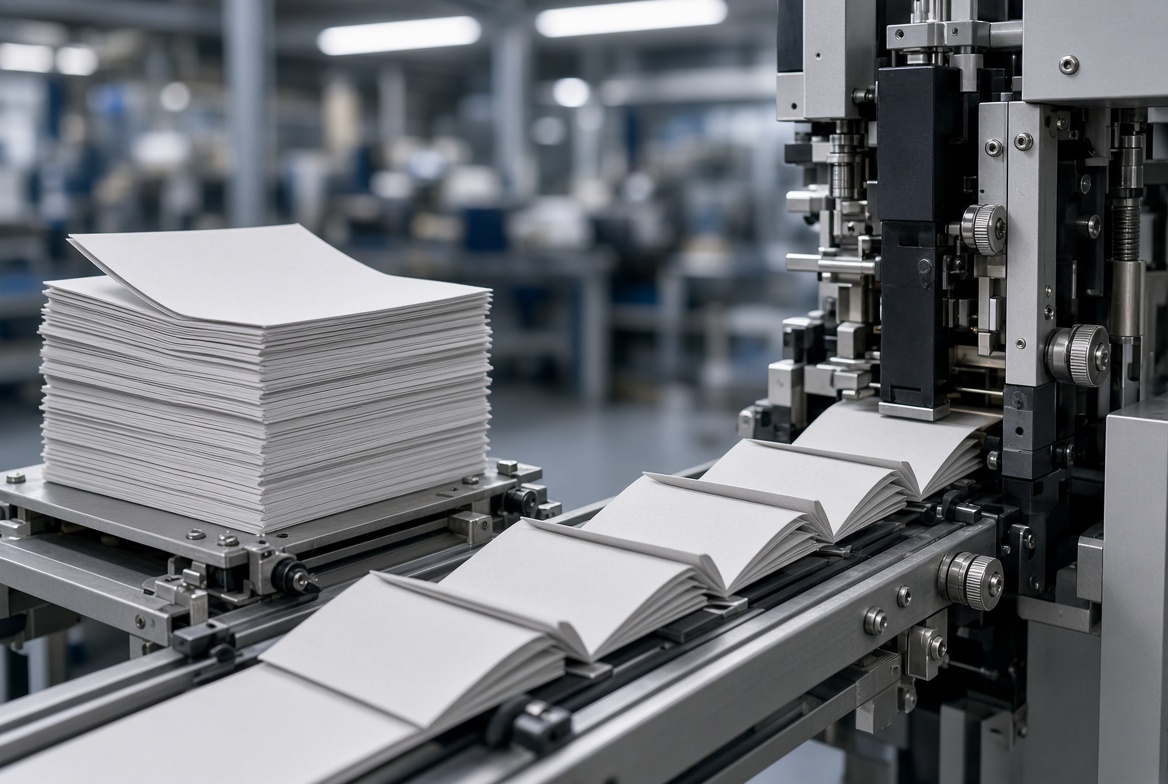
For a simple office print job, collation is often enabled through the print dialogue box. Look for an option labelled "Collate," "Sort," or "Assemble."
Before sending the job, follow this checklist:
1. Confirm the final page order. Review the PDF from the cover to the last page.
2. Check page count. Ensure blank pages, inside covers, and required inserts are included.
3. Select the number of copies. Enter the total quantity needed.
4. Enable collate. Select the option that produces one complete set at a time.
5. Review double-sided settings. Collating and duplex printing are different functions; confirm both separately.
6. Print one test set first. Check sequence, orientation, margins, and page turns.
7. Inspect the first production batch. Verify that every page is present before continuing.
8. Prepare for finishing. Make sure the collated output matches the requirements for folding, stitching, binding, or insertion.
For commercial printing, provide files as single pages in reading order unless your printer specifically requests imposed spreads. Booklet layout, folding, and page imposition are production tasks that should be agreed upon before printing.
From a packaging manufacturer's standpoint, the safest approach is to treat collation as part of the full production workflow, rather than as an isolated printing step.
- Approve the final artwork, page order, language version, and revision number.
- Confirm paper type, board thickness, finish, and fold direction.
- Identify all inserts that belong in one package.
- Define whether each insert faces up, faces down, opens left-to-right, or is placed beneath the product.
- Create an approved physical or digital reference sample.
- Check colour direction and print registration against the approved reference.
- Verify text clarity, barcodes, QR codes, and variable information.
- Inspect folding accuracy, creasing quality, and trim position.
- Count the correct number of components in every set.
- Conduct periodic sequence checks during assembly.
- Inspect the appearance and structure of finished boxes.
- Confirm that inserts are complete, correctly oriented, and undamaged.
- Check glue positions, lamination, foil, embossing, and die-cut edges where applicable.
- Verify outer-carton quantities and shipping marks.
Industry quality-control processes commonly include incoming material inspection, in-process checks for print registration and finishing, plus final verification of dimensions and appearance before shipment.
A well-designed document can still fail if collation is not planned carefully. Watch for these common issues:
- Using uncollated output for a bound document. This creates unnecessary sorting work and can delay binding.
- Forgetting blank pages. A blank page may be needed for booklet pagination, layout balance, or printing requirements.
- Confusing collate with double-sided printing. Collation controls order; duplex printing controls whether both sides of a sheet are printed.
- Ignoring mixed-material inserts. Different stocks, sizes, and finishes may need hand assembly rather than automated processing.
- Skipping first-article approval. The first completed set should be checked before full production begins.
- Failing to control revisions. An outdated instruction leaflet can be collated perfectly—but still be incorrect.
- Not defining insert orientation. A card can be present but upside down, backwards, or hidden beneath the wrong component.
If your product requires more than a simple printed box, ask your supplier how they manage multi-piece packaging assembly. The answer should go beyond "we can print it."
A capable manufacturing partner should be able to discuss:
- Printed insert sequencing
- Manual assembly requirements
- In-process inspection points
- Approved sample confirmation
- Material compatibility
- Folding, creasing, and die-cutting requirements
- Rigid box structure and inner tray design
- Final packing and carton protection
At Maituohong Packaging, we help brands combine rigid gift boxes, paperboard boxes, printed cards, instruction booklets, tissue paper, trays, and other paper-based components into a complete packaging solution. Our focus is not only on how each piece looks independently, but also on how every component works together when the customer opens the box.
If you are planning custom packaging with manuals, cards, certificates, or multi-piece inserts, share your artwork, dimensions, target quantity, and assembly requirements with our team. We can help you evaluate the most practical structure, materials, printing finishes, and collation process for your project.
Collate means arranging multiple copies of a multi-page document into complete sets in the correct order. For example, instead of printing 100 copies of Page 1 and then 100 copies of Page 2, the printer produces full sets such as Pages 1–2–3–4 repeatedly.
No. Collation controls the order of pages in each copy. Double-sided, or duplex, printing controls whether content is printed on one side or both sides of each sheet. A document can be collated, double-sided, both, or neither.
Turn collate on when you need multiple complete copies of a multi-page document, such as manuals, reports, catalogues, presentations, training materials, or product inserts.
Uncollated printing is useful for single-page documents, bulk forms, labels, flyers, or projects that need pages separated by type before a different finishing or assembly process.
Yes. Hand collation is often the best option for premium packaging with mixed paper types, die-cut cards, folded leaflets, certificates, product samples, or multiple components that cannot run through standard automated equipment.
Booklet pages must be assembled in the correct sequence before they are stitched, glued, or otherwise bound. Incorrect gathering can result in missing, duplicated, or out-of-order pages in the finished booklet.
Provide final artwork, page order, dimensions, material preferences, quantity, finishing requirements, insert order, orientation instructions, product samples if needed, and the desired packaging structure.
- [Tycoon Packaging — The Complete Guide to Collate Printing: Everything You Need to Know]
- [PrintingCenterUSA — How to Arrange Pages for Booklet Printing]
- [Welye — Booklet Printing Guide: Bindings, Page Count and Files]
- [The Print Codex — Binding Methods Complete Guide]
- [United GMG — Booklet Printing, Stitching and Binding Basics]
- [Shenzhen Xingwei Color Printing & Packaging — Quality Management]


