
Views: 222 Author: Maituohong Packaging Publish Time: 2026-05-07 Origin: Site


Shipping a desktop computer is not just about putting a PC in a box and hoping for the best—it is about protecting a complex, fragile electronic system that can be easily damaged by shock, vibration, and moisture in transit. From my own experience helping clients ship high‑value workstations worldwide, the difference between a broken PC and a flawless delivery almost always comes down to preparation, packaging, and the quality of the shipping box. [gettransport]
In this guide, I will walk you through a proven, step‑by‑step method to ship a desktop safely, show you what packing materials you really need, and explain why professional‑grade mailer box and shipping box solutions from experienced manufacturers like Maituohong Packaging can dramatically reduce your risk of damage.
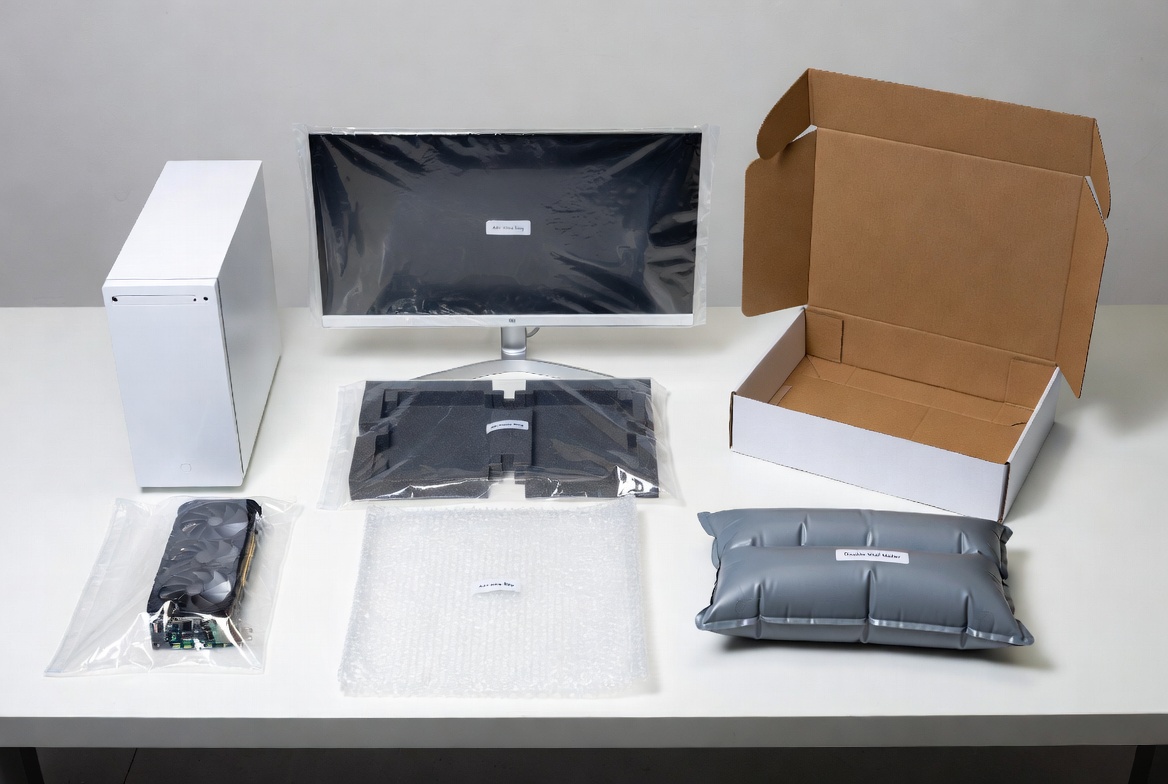
Before you touch the power button or unplug a cable, make sure you have the right materials ready. [blog.papermart]
- Sturdy corrugated shipping box (single‑wall for short local routes, double‑wall for long‑haul, export, or fragile builds) [gettransport]
- Original manufacturer box (if available)
- Anti‑static bags for loose components (GPU, RAM, drives) [blog.papermart]
- Bubble wrap (enough to wrap each component in about 3 inches of padding) [gettransport]
- High‑density foam inserts or corner protectors
- Packing paper or air cushions (void fill)
- Strong packing tape (minimum 48 mm width)
- "Fragile" and "This Way Up" labels or stickers [blog.papermart]
> From an expert standpoint, the outer box and internal cushioning are where most people under‑invest. A cheap, thin box or insufficient padding is the number one cause of transit damage for desktops in courier networks. [gettransport]
Before you think about cardboard, think about data. Hardware can be replaced; critical files often cannot.
1. Create a full backup to an external drive or secure cloud storage.
2. Log out of accounts and encrypt sensitive data where appropriate.
3. Record key system details (serial numbers, specs, installed components) for insurance and claims.
From an E‑E‑A‑T perspective, this step signals you understand the real‑world stakes: for many users, the value of what is on the machine far exceeds the value of the machine itself. [blog.papermart]
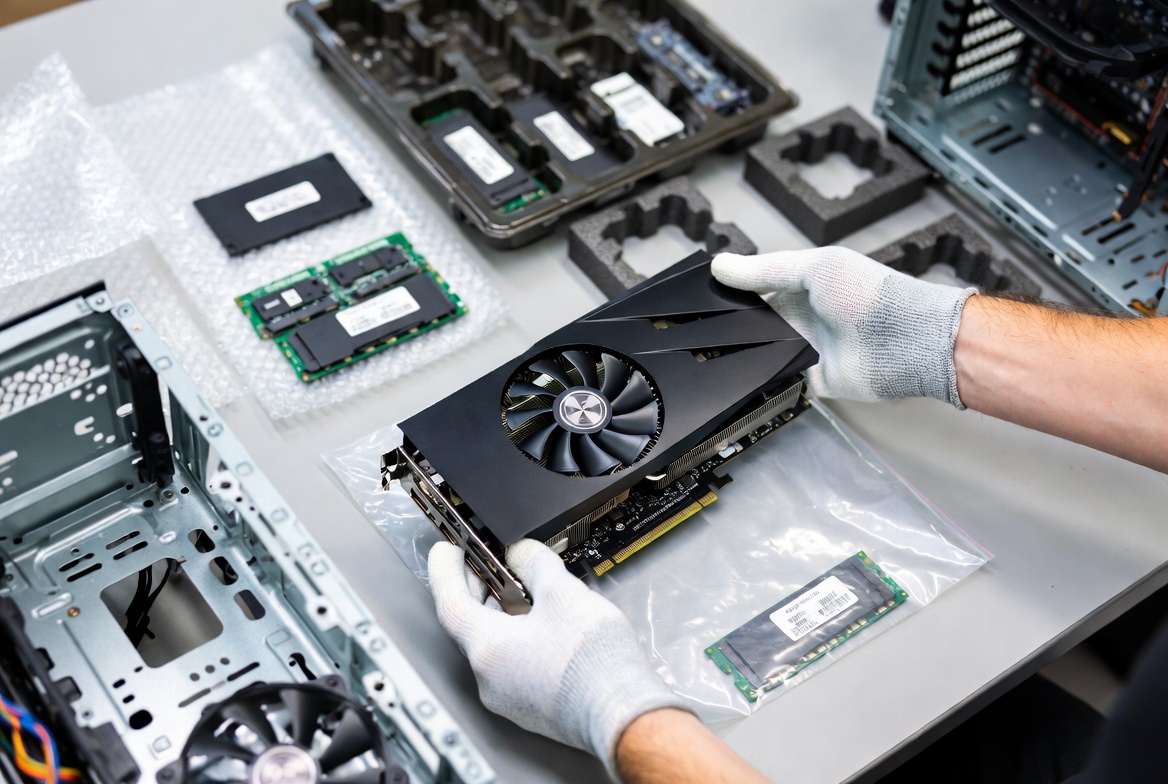
Modern PCs pack a lot of weight into the graphics card, cooler, and power supply. If you leave everything installed, those heavy parts can shear the motherboard or crack the case when the box is dropped or flipped. [packlane]
- Graphics card (GPU)
- Large air or liquid CPU coolers (if very heavy)
- Additional hard drives or SSDs mounted in fragile trays
- Any custom glass panels or loose side panels
- Slide PCBs and drives into anti‑static bags first. [gettransport]
- Wrap them in 3 inches of bubble wrap on all sides and tape closed. [packlane]
- Pack them either in a separate small box inside the main carton or in a well‑protected accessory area.
Many user reports on tech forums show that the most common shipping failure is a GPU snapping out of its slot and damaging both itself and the motherboard—removing and separately padding it almost eliminates that risk. [linustechtips]
If you still ship the PC with some internal components installed, you must prevent them from moving. Even with a strong outer box, internal impact can destroy fragile parts. [packlane]
- Fill empty spaces inside the case with soft but firm foam or crumpled packing paper (never loose peanuts inside the case).
- Ensure all screws are tight and panels are securely attached.
- For tempered‑glass side panels, consider removing them and packing separately in their own padded wrap.
Some OEMs ship new systems with shaped foam blocks inside the case; if you still have these, re‑use them—they are designed to absorb shock exactly where it matters.
The desktop tower, monitor, and accessories each need their own layer of protection before going into the shipping box. [blog.papermart]
- Wrap the entire tower in plastic or a dust‑resistant bag, then in 3 inches of bubble wrap. [linustechtips]
- Use extra foam or corner protectors around edges and corners where impact is most likely.
- If you have the original monitor packaging, use it.
- Otherwise, protect the screen with a soft, non‑abrasive sheet (foam or thick cloth), then wrap in bubble wrap and add foam around the corners. [blog.papermart]
- Bundle cables neatly, secure with twist ties or Velcro.
- Wrap keyboard and mouse individually in bubble wrap or packing paper.
- Place them in a designated accessory zone inside the shipping box to avoid pressure on the tower or screen.
> User experience tip: When the recipient opens the box, neatly coiled cables and clearly separated accessories create a more professional impression and make re‑assembly faster.
The outer box is your last line of defense against drops, stacking pressure, and vibration in transit. The wrong box can make even careful internal packing almost useless. [gettransport]
- Strength: For export or long‑haul courier shipments, choose double‑wall corrugated cardboard with at least 200 kg/m² board strength or equivalent. [gettransport]
- Size: Internal dimensions should allow at least 3 inches of cushioning between the PC tower and every side of the box. [docs.deerex]
- Design: A mailer box or reinforced shipping box with strong corners resists crushing better than thin, generic cartons. [packlane]
Professional packaging manufacturers like Maituohong Packaging specialize in custom mailer and shipping boxes tailored to electronics, using calibrated board thickness and flute types to balance protection and weight. This helps reduce damage while keeping dimensional weight and freight cost under control. [emenacpackaging]
In professional logistics operations, high‑value or fragile electronics are often double‑boxed. [docs.deerex]
- Single‑box: PC and monitor packed directly into one strong outer box.
- Double‑box: PC first packed in an inner carton, which is then placed inside a larger outer shipping box with 3 inches of cushioning on all sides. [docs.deerex]
- International shipments or long‑distance freight
- Systems with heavy GPUs, large coolers, or glass panels
- Enterprise workstations or expensive custom builds
Double‑boxing significantly improves impact resistance and is often required by carriers or insurers for high‑value electronics claims. [docs.deerex]
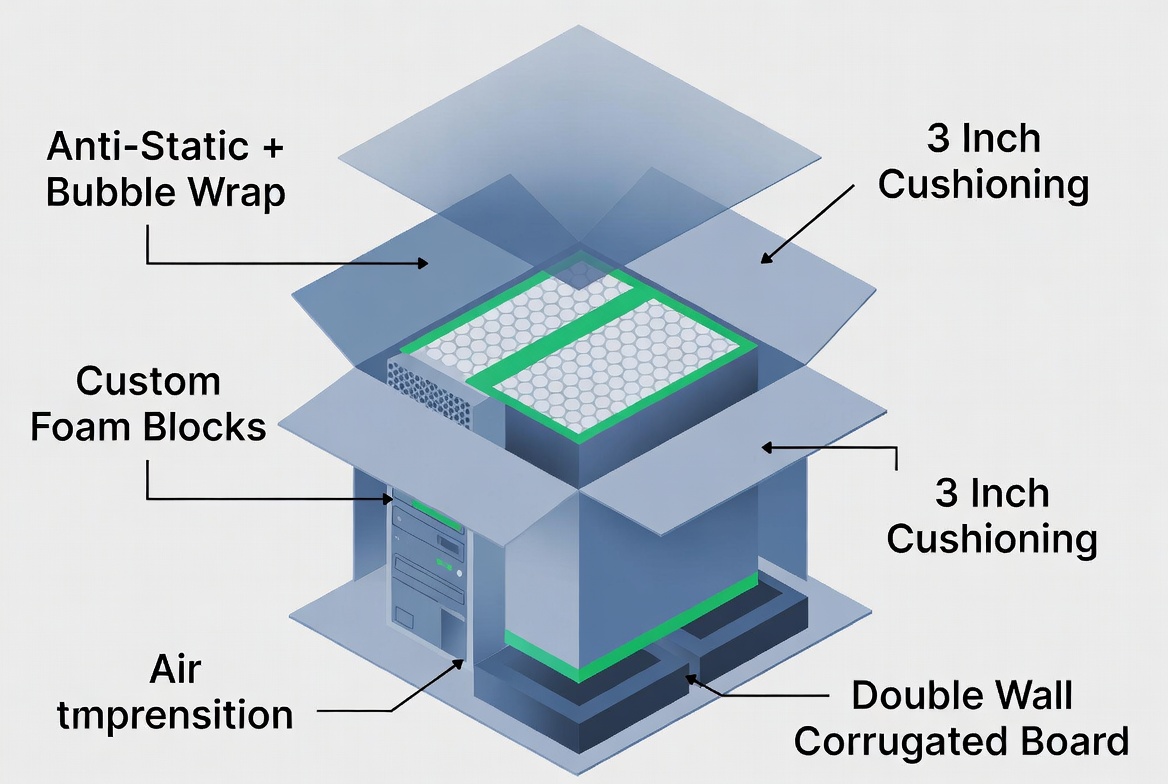
Once all individual components are wrapped, it is time to load the shipping box. Follow this sequence for maximum protection. [packlane]
1. Create a cushioned base
- Add at least 3 inches of bubble wrap, foam sheets, or air cushions to the bottom of the box. [docs.deerex]
2. Place the tower in the center
- Position the wrapped tower upright in the middle of the box, away from every wall.
3. Add the monitor and accessories
- Place the wrapped monitor either to the side or on top in a single layer, ensuring it does not press directly against the tower's sharp edges. [blog.papermart]
- Add the GPU and other components (in their protective wraps) to a separate area with extra padding.
4. Fill all voids
- Use air cushions, dense packing paper, or foam to eliminate empty spaces so nothing can shift when the box is shaken. [gettransport]
- Avoid loose shredded paper; it compacts under load and does not provide consistent support. [docs.deerex]
5. Top layer and closure
- Add a final 2–3 inch layer of cushioning on top.
- Close the flaps and use the H‑taping method: tape along the center seam and both edge seams on both the top and bottom.
6. Label clearly
- Apply "Fragile" and "This Way Up" labels on multiple sides for better visibility in sorting hubs. [blog.papermart]
- Attach shipping and insurance documents in a clear pouch.
| Component / Need | Recommended Solution | Why It Matters |
|---|---|---|
| System unit (tower) | Double‑wall corrugated shipping box with tailored foam inserts gettransport | Protects against drops, compression, and vibration |
| Internal components (GPU, SSD) | Anti‑static bags + bubble wrap gettransport | Prevents electrostatic discharge and impact damage |
| Outer protection | Custom mailer or shipping box from experienced manufacturers gettransport | Matches board strength and size to PC dimensions for optimal safety |
| Void fill | Air cushions or dense packing paper gettransport | Stops movement inside the box without adding excessive weight |
| Labeling | "Fragile", "This Way Up" stickers blog.papermart | Helps handlers recognize and treat the parcel as delicate |
Decades of packaging and logistics data show that most PC shipping damage comes from a few predictable errors. If you avoid the mistakes below, you instantly raise your success rate. [gettransport]
- Using weak, single‑wall boxes for heavy gaming towers.
- Leaving the GPU installed without internal stabilization.
- Not providing 3 inches of cushioning on all sides. [docs.deerex]
- Filling voids with clothing or soft materials that compress too easily.
- Forgetting anti‑static protection for drives and boards. [gettransport]
- Skipping insurance for high‑value builds.
From a user‑experience angle, many of these mistakes come from rushing, reusing random boxes, or underestimating how rough parcel networks can be.
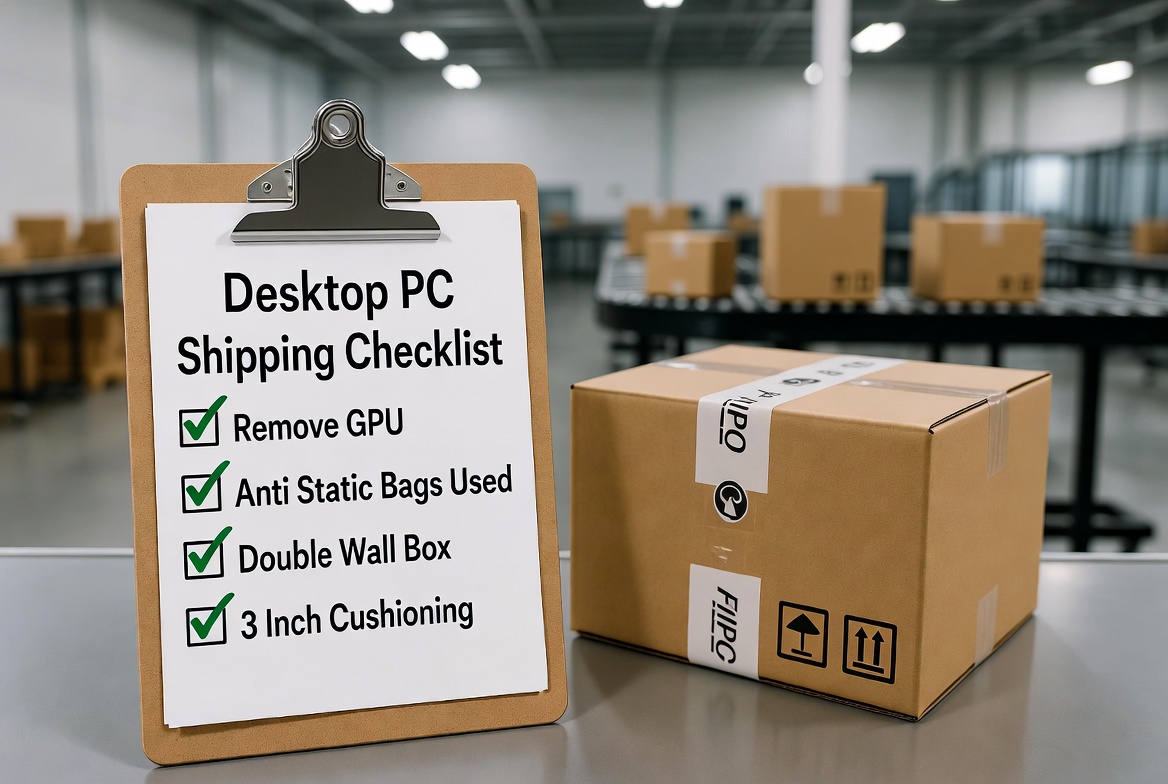
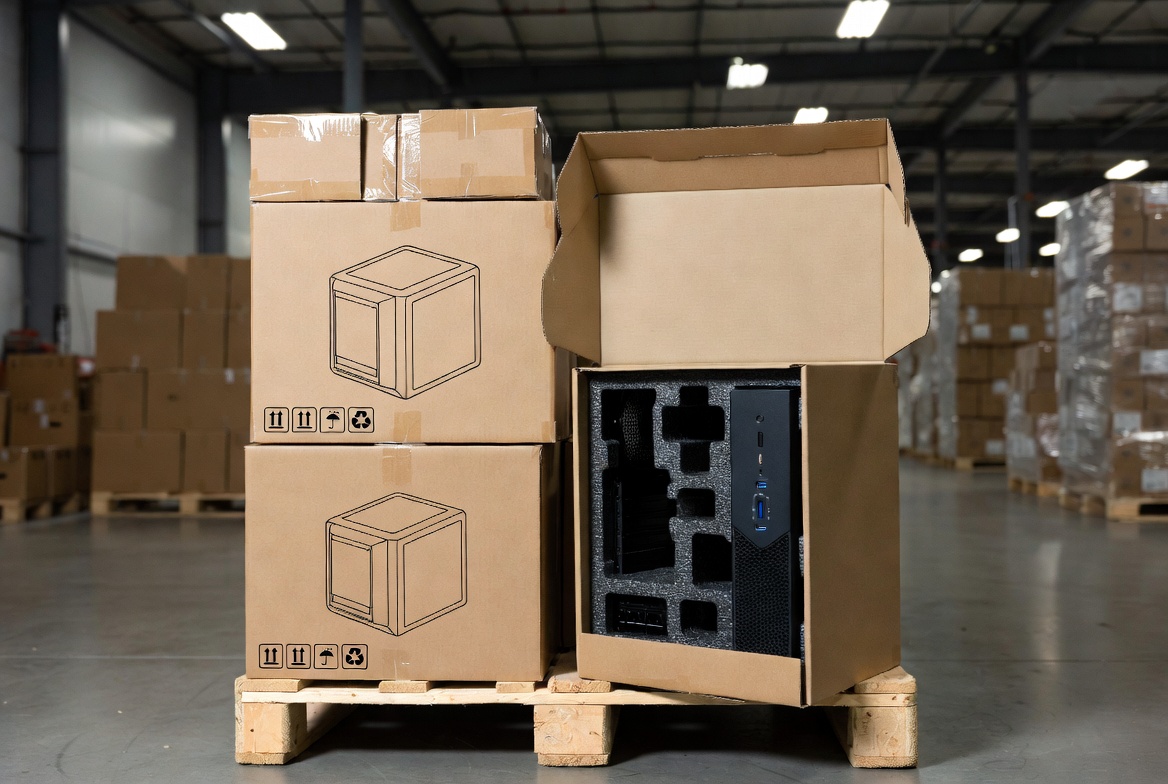
For individual senders, DIY packing can be enough if you follow the steps above. For businesses, IT departments, or high‑volume e‑commerce sellers, custom PC shipping boxes can dramatically improve reliability and scale. [epeusa]
- Precision fit: Internal dimensions tailored to typical mid‑tower, SFF, or micro PC sizes reduce movement and the need for excessive filler. [epeusa]
- Engineered protection: Corrugated board grade, flute type, and foam density selected to withstand specific transport scenarios. [emenacpackaging]
- Branding and UX: Printed graphics, branded unboxing experience, and clear internal organization improve perceived value for your customers. [packlane]
- Sustainability: High‑recycled, recyclable board and foam solutions balance protection with environmental expectations. [epeusa]
Manufacturers like Maituohong Packaging, with over 18 years of experience in rigid boxes and custom paper packaging, can design mailer and shipping boxes specifically for desktop computers and electronics, combining structural protection, print quality, and cost‑effective production for export markets. [emenacpackaging]
Even with perfect packaging, accidents happen. From an expert logistics perspective, you should treat a desktop PC shipment the way you would treat professional equipment. [gettransport]
- Declare realistic value: Under‑declaring can limit claims and may violate carrier terms.
- Follow carrier packing guidelines: Many carriers specify double‑boxing and cushioning requirements for electronics; non‑compliance can void insurance. [docs.deerex]
- Photograph the packing process: Take clear photos of the PC, packing stages, and sealed box. This documentation is extremely helpful in claims disputes.
If you ship regularly, create a standard operating procedure (SOP) that all staff follow, and align it with your packaging supplier's recommended materials and specifications.
Shipping a desktop internationally or across several transport modes (van, plane, truck) adds additional stresses. [docs.deerex]
- Upgrade board strength and foam density for long‑haul routes. Double‑wall boxes and closed‑cell foam inserts significantly improve performance. [gettransport]
- Use pallets for multi‑unit shipments so boxes are not individually tossed or stacked irregularly.
- Protect against moisture: Consider moisture barrier bags or added wrapping in humid or coastal climates.
- Label in multiple languages if shipping to regions where local handlers may not read English.
Professional exporters often work directly with packaging partners to test sample boxes and validate how they perform in drop and vibration tests before rolling them out at scale. [emenacpackaging]
If you ship desktop computers regularly—whether as a PC brand, system integrator, IT asset recovery firm, or cross‑border e‑commerce seller—the right custom mailer box or shipping box is no longer optional. It is a core part of your product experience.
With more than 18 years in premium rigid boxes and paper‑based packaging, Maituohong Packaging can help you:
- Select the right board grade, flute type, and foam structure for your specific PC form factors. [emenacpackaging]
- Design branded mailer and shipping boxes that protect your hardware and reinforce your brand.
- Optimize carton sizes for courier dimensional weight so you do not overpay for freight.
If you want fewer damaged units, lower claims costs, and a better unboxing experience for your customers, reach out to Maituohong Packaging to develop your next generation of custom desktop computer mailer and shipping boxes.
1. Is it safe to ship a fully assembled desktop PC?
It can be safe if you use a strong double‑wall box, stabilize the inside of the case, and provide at least 3 inches of cushioning on all sides, but removing the GPU and other heavy components is strongly recommended. [packlane]
2. Can I use clothes or towels instead of proper packing materials?
While soft fabrics add some cushioning, they compress easily and do not provide consistent protection under heavy stacking loads, so they should not replace proper foam, bubble wrap, or air cushions. [gettransport]
3. Do I really need anti‑static bags?
Yes. Sensitive components like GPUs, RAM, and SSDs can be damaged by electrostatic discharge; anti‑static bags are industry standard for safe electronics shipping. [blog.papermart]
4. How much space should I leave around the PC inside the box?
Aim for at least 3 inches of cushioning material between the PC and every wall of the box to absorb shocks and protect against punctures. [docs.deerex]
5. When is a custom PC shipping box worth the investment?
If you ship desktops regularly or ship high‑value workstations, custom boxes quickly pay for themselves by reducing damage rates, insurance claims, and negative customer experiences. [epeusa]
1. Packlane Editorial Team. "How to Ship a Computer Safely: A Step‑by‑Step Tutorial." [Packlane]. [packlane]
2. GetTransport.com. "Safe Shipping for Desktop Computers." [GetTransport]. [gettransport]
3. Paper Mart. "How to Ship a Desktop Computer/PC in 5 Simple Steps!" [Paper Mart Blog]. [blog.papermart]
4. EPE USA. "Desktop SFF Shipping Box" and "Desktop Micro PC & Mac Mini Shipping Box." [EPE USA]. [epeusa]
5. Emenac Packaging. "Custom Electronics Packaging Boxes." [Emenac Packaging]. [emenacpackaging]
6. Packlane. "Custom Boxes & Custom Packaging." [Packlane]. [packlane]
7. FedEx‑related packing guidance (Chinese documentation). "各类易损产品打包指南 – 数码3C产品." [docs.deerex]
8. Linus Tech Tips Forum. "How to pack a desktop computer for shipping?" [linustechtips]


